
7 Samples of Employment Contracts: UK Templates & Clauses
Action Accountants •23 July 2026
You're onboarding a new hire, the start date is fixed, the site team is asking for a CIS-friendly contract, and someone has just spotted that the draft only says “salary and job title”. That's the moment a weak template becomes expensive. In the UK, the written statement of particulars is a day-one entitlement for employees and workers, and it now needs to be in place from the start of engagement, not after a waiting period, under the Employment Rights (Employment Particulars and Paid Annual Leave) (Amendment) Regulations 2018 (DocuSign's summary of the 6 April 2020 change). For SMEs and construction contractors, the primary issue is not whether you have a contract, but whether the right samples of employment contracts fit the role, the status, and the risks you face.
If you need a hospitality angle as well, this related guide on hospitality employment contracts is a useful companion, but the list below gets straight to the practical UK options.
Table of Contents
- 1. Acas Advisory, Conciliation and Arbitration Service
- 2. Simply-Docs Employment Documents Library
- 3. Rocket Lawyer UK Customisable Employment Contract
- 4. Net Lawman UK Employment Contract Templates
- 5. Breathe Free UK Employment Contract Template
- 6. CIPD HR-inform Contract Templates and Employment Law Toolkit
- 7. Modern HR Professionally Drafted UK Employment Contract
- 7-Provider Comparison: UK Employment Contract Samples
- Putting Your Contract Toolkit into Action
1. Acas Advisory, Conciliation and Arbitration Service
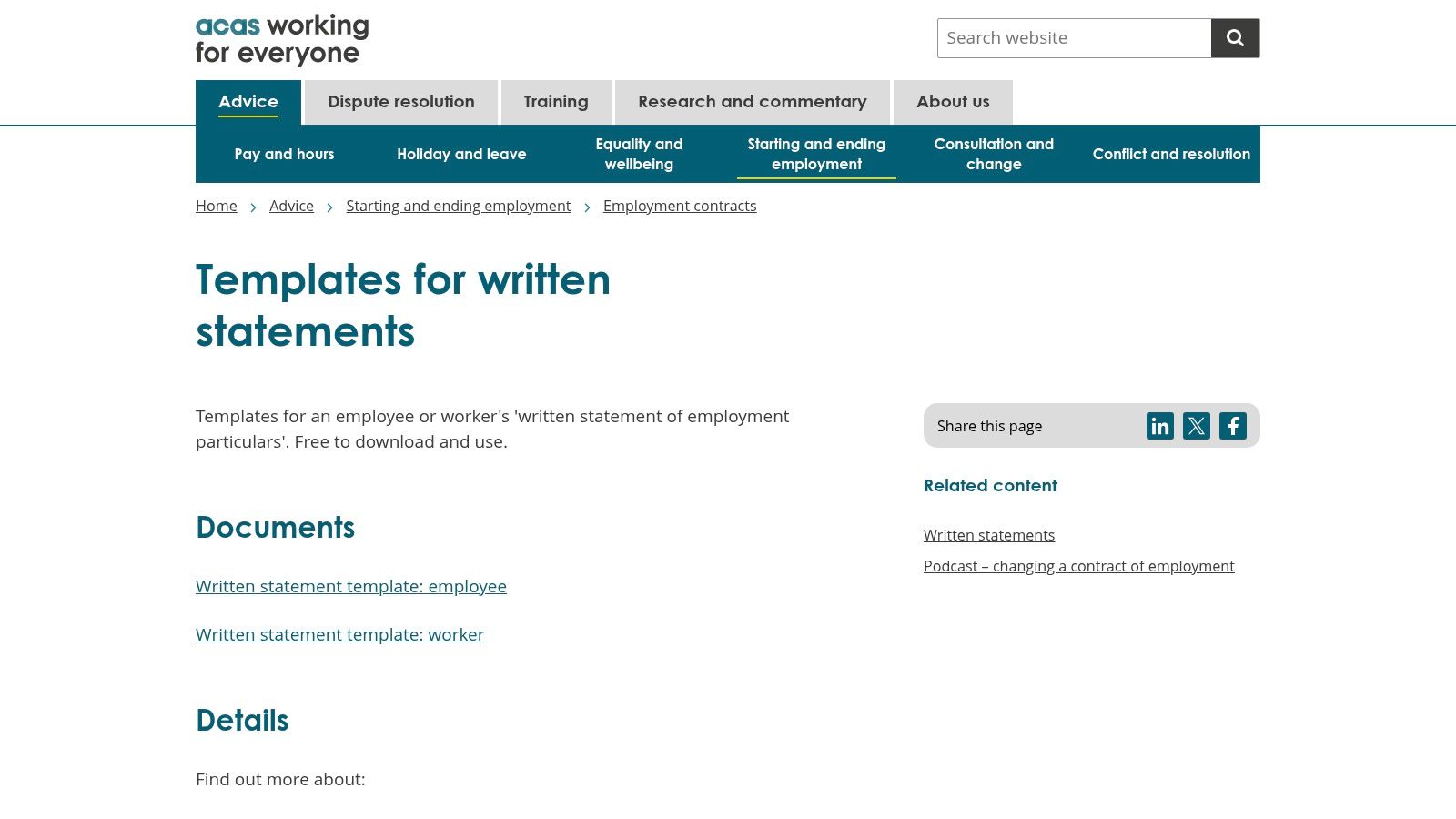
Acas is the safest first stop if you want a statutory baseline rather than a polished commercial pack. Its free written statement templates are built around the UK requirement that new employees get the particulars from day one, and the guidance is deliberately plain English, which is ideal when you need to move fast and stay compliant (Acas templates for written statements). For a small builder, subcontractor, or local SME with no in-house HR team, that clarity matters more than fancy formatting.
The strongest part of Acas is the checklist logic. It keeps you focused on the essentials that written particulars should capture, rather than letting the draft drift into vague role summaries. That lines up well with the practical point that written particulars are the core document recording job title, pay, hours, place of work, and termination terms, which is exactly the material you need to get right at onboarding (DocuSign summary of the UK reform).
Best fit and SME adaptation
For SMEs, use Acas when you want a clean legal floor that can be adapted in-house. For construction, add project location wording, travel expectations, and a clearer overtime position before anyone signs. If you use CIS subcontractors, Acas is not the right place to force a contractor relationship into an employee contract, because status needs to match reality.
Practical rule: if your labour model changes by site or by project, Acas should be your compliance base, not your final working document.
- Use it for: day-one statutory particulars, starter hires, and basic employee onboarding.
- Adapt it for: site-based work, overtime arrangements, and role-specific notice wording.
- Watch for: missing policy references, weak status wording, and thin treatment of probation.
For a deeper business-contract lens, pair the template with this internal guide to creating business contracts before you issue it to a hire.
2. Simply-Docs Employment Documents Library
Simply-Docs is the better choice when you need more than a contract. Its employment library spans contracts, policies, letters, and procedures, so it suits businesses that want one editable system across the employee lifecycle rather than a single download (Simply-Docs Employment Documents). That broader approach is often more useful for SMEs that hire repeatedly and do not want to rebuild the same wording for onboarding, absence, discipline, and exit every time.
The trade-off is simple. You get breadth and speed, but you still need internal review. That's especially true if your business mixes office staff, site workers, and labour-only arrangements, because the template library can help you move quickly without deciding the legal status question for you.
What works well and where it needs tailoring
Simply-Docs works well when you want a repeatable contract system with embedded notes. It is strong for businesses that need to standardise across multiple hires, and the Word-format templates make local tweaks straightforward. The library approach is also helpful if you need supporting paperwork around the contract, not just the contract itself.
For construction contractors, the main adaptation is to make the template match your real operating model. If workers are site-based, clarify place of work, mobility, and site rules. If pay changes by project or shift, the wording has to say that cleanly, otherwise disputes start where the template becomes unclear.
- Use it for: multi-role hiring, recurring onboarding, and contract plus policy packs.
- Adapt it for: site changes, travel, variable hours, and project-specific clauses.
- Watch for: over-reliance on default wording and subscriptions that outgrow one-off needs.
The internal controls matter too. If you're already handling payroll and onboarding in one place, this template set fits neatly beside your payroll for small business process without forcing you to reinvent your documentation each time.
3. Rocket Lawyer UK Customisable Employment Contract
Rocket Lawyer UK suits founders who want a guided process rather than a blank Word file. The platform uses a questionnaire to build a contract for England, Wales, or Scotland, and it includes e-signing plus the option to ask a lawyer for review (Rocket Lawyer UK employment contract). That makes it especially useful where the person drafting the contract is not a lawyer and needs confidence that the basics are covered before the offer goes out.
The main strength is workflow. You can move from drafting to signature inside one system, which reduces the usual back-and-forth between HR, the manager, and the new starter. For SMEs with low administrative capacity, that convenience is worth something, as long as the generated contract is still checked against the role.
Where it helps most
Rocket Lawyer's broader template ecosystem matters if your hiring mix changes. If you also need related forms like zero-hours contracts, the platform gives you a structured path instead of forcing you to source separate documents from different providers. That can be useful for businesses with seasonal peaks or uncertain workload, especially where the contract type needs to change with the engagement.
The weakness is not the platform, it's the assumption that guided generation solves sector nuance. It doesn't. For construction contractors, you still need to test the wording against CIS arrangements, probation, site access, PPE responsibilities, and whether the worker is an employee or a contractor.
Contracts fail when people use a general tool and skip the status check.
- Use it for: founder-led hiring, quick turnaround offers, and digital signature workflows.
- Adapt it for: sector terms, status wording, and site-based clauses.
- Watch for: subscription dependency and “good enough” drafting that hides role-specific gaps.
If you're hiring for finance or operations, the role definition needs to be exact, so a finance controller job description should line up with the contract language rather than sit separately and inconsistently.
4. Net Lawman UK Employment Contract Templates
Net Lawman works best for buyers who prefer a single purchase over a subscription. The standard employment contract template comes with detailed drafting notes and an optional Lawyer Assist review service, which gives you a practical middle ground between DIY drafting and full legal support (Net Lawman employment contract). For many SMEs, that one-off model is easier to justify than paying for a large document library they'll barely use.
The drafting notes are particularly valuable. A plain template is only useful if you know where to localise it, and Net Lawman helps by explaining the structure as you edit. That makes it a decent fit for smaller employers who want immediate access but don't want the risk of treating a generic document as final.
Good use cases and common traps
Net Lawman is useful when your hiring needs are stable and you want a solid baseline template for routine employee roles. It is also a sensible option if you like the reassurance of being able to buy lawyer review only when needed. For companies with one or two core contract types, that can keep costs under control.
The trap is assuming one good contract covers every workforce arrangement. Construction businesses often need separate treatment for fixed-term project hires, site-based staff, and subcontractor-facing roles. If your template language doesn't reflect those distinctions, you can create confusion over hours, termination, and control.
- Use it for: straightforward employee hires, one-off purchases, and controlled budgets.
- Adapt it for: role-specific benefits, site work, and fixed-term language.
- Watch for: limited library depth and the need to localise benefits and practices.
If your business leans on external finance support, keep the contract review aligned with your contractor accountant in London so payroll, tax treatment, and worker status are not drifting apart.
5. Breathe Free UK Employment Contract Template
Breathe's free employment contract template is a sensible starter document if you want no-cost access from a UK-focused HR vendor. It sits alongside onboarding and recruitment guides, which is useful if you're trying to create a simple people process without buying a full HR suite on day one (Breathe employment contract template PDF/Employment%20contract%20template.pdf)). For cash-conscious SMEs, that kind of starter pack can be enough to move from a blank page to a workable draft.
The weakness is obvious, and that's not a criticism. A deliberately basic template is not designed to cover the nuances of every role. If you're hiring anyone with site exposure, fluctuating hours, or unusual notice terms, you'll need to add to it before sending it out.
Why it suits early-stage businesses
Breathe is strongest where process is still being built. The free template can act as a bridge while you decide whether you need paid HR software for e-signing and document management. If you're testing your hiring rhythm or handling only a few appointments, that makes sense.
For construction and CIS-aware businesses, the template needs more work than anticipated. Basic wording is fine for a first draft, but it won't automatically capture site rules, travel, bad-weather arrangements, or the employee versus contractor distinction. Those points need to be explicit, not implied.
Free is useful only if the resulting contract still matches the way you work.
- Use it for: starter drafts, low-volume hiring, and early HR process design.
- Adapt it for: site rules, hours, notice, and status wording.
- Watch for: basic coverage that needs substantial employer-side edits.
If you're still building your internal controls, this template sits well beside essential employee handbook resources for HR once you're ready to turn a contract into a fuller people pack.
6. CIPD HR-inform Contract Templates and Employment Law Toolkit
HR-inform is the strongest pick when you want a maintained compliance hub rather than a standalone template. Backed by the CIPD ecosystem, it gives you contract templates plus employment law guidance, and it is built for organisations that want ongoing updates, not just a document download (HR-inform). For HR teams that already handle policies, handbooks, letters, and contract variations, that breadth is what makes the subscription worthwhile.
The trade-off is cost and complexity. This is not the right answer if you just need one contract for one hire. It is the better answer if your business needs standardisation across lots of documents and you value expert-maintained content more than a cheap one-off.
Why experienced teams choose it
HR-inform works because it reduces drift. When one team member uses a template from one place and another team member uses a different version from somewhere else, compliance gaps creep in. A managed toolkit helps stop that, especially where the business has to stay on top of changing obligations and internal policy alignment.
For SMEs in construction, the value is in making your contract match the rest of your compliance system. That means checking wage clauses, absence wording, disciplinary references, and site-specific expectations against the wider HR pack rather than treating the contract as a standalone PDF.
- Use it for: larger SME teams, document consistency, and ongoing legal updates.
- Adapt it for: internal policy alignment and contractor-facing distinctions.
- Watch for: subscription pricing that makes no sense for one-off needs.
If your payroll and compliance function sits with a trusted adviser, the contract review should be part of the same conversation as your accounting support for contractors so you do not end up with one document saying employee and another behaving like contractor paperwork.
7. Modern HR Professionally Drafted UK Employment Contract
Modern HR is the best fit if you want a single, polished template that feels closer to solicitor-reviewed work than a generic download. The product is sold as a standalone Word file, which makes it easy to adapt immediately, and the positioning is clear, one-off purchase, no subscription, practical baseline (Modern HR employment contract template). That's attractive for founders and SMEs who want something credible without committing to a large platform.
The value here is presentation plus structure. A professionally drafted template is easier to put in front of a manager, but it still needs localisation. That applies especially in construction, where a clean employee contract can still be wrong if it doesn't reflect project movement, overtime, or CIS-related status concerns.
Best for polished baseline drafting
Modern HR makes sense when you need a document that looks ready to issue but still lets you tailor the wording internally. It is a good middle path for employers who don't want to start from Acas, but also don't want to buy a full HR library. For many SMEs, that balance is exactly right.
The limitation is scope. A single template is not a system. If your business also needs policies, letters, and separate contract types for different categories of worker, you'll need more than this one file. The contract may be extensive, but your operational reality may not be.
- Use it for: professional baseline contracts, rapid adaptation, and one-off purchases.
- Adapt it for: role-specific benefits, site clauses, and status wording.
- Watch for: narrow document coverage and the temptation to stop at first draft.
If your business is expanding, make sure the wording matches your wider setup and your payroll controls, then review it with Action Accountants Limited if you want a construction-aware perspective on how the contract interacts with CIS and cash flow.
7-Provider Comparison: UK Employment Contract Samples
| Tool | Implementation complexity 🔄 | Resource requirements ⚡ | Expected outcomes ⭐ / 📊 | Ideal use cases 💡 | Key advantages |
|---|---|---|---|---|---|
| Acas (Advisory, Conciliation and Arbitration Service) | 🔄 Low, statutory templates only, minimal setup | ⚡ Free, quick download; minor tailoring time | ⭐ Legal compliance baseline; 📊 ensures statutory particulars | 💡 When you need an authoritative, no-cost compliance template | Official, up-to-date statutory wording; free |
| Simply-Docs – Employment Documents Library | 🔄 Moderate, choose and tailor many templates | ⚡ Annual subscription; internal HR/legal review needed | ⭐ Comprehensive coverage; 📊 full lifecycle documentation | 💡 Organisations needing a broad, ready-to-use document library | Large library (650+), embedded guidance notes |
| Rocket Lawyer UK – Customisable Employment Contract | 🔄 Low–Moderate, guided interview simplifies creation | ⚡ Subscription for full features; optional paid lawyer help | ⭐ Customised contract quickly; 📊 e-signing and cloud storage | 💡 Founders/non-lawyers wanting step-by-step creation + legal access | Interview-driven drafting, e-sign, optional legal review |
| Net Lawman – UK Employment Contract Templates (single-purchase) | 🔄 Low, single template, straightforward download | ⚡ One-off purchase; optional paid "Lawyer Assist" review | ⭐ Affordable ready-to-use template; 📊 requires localisation | 💡 Buyers who prefer a single, immediate purchase | Clear one-off pricing; optional lawyer review |
| Breathe – Free UK Employment Contract Template (PDF) | 🔄 Low, basic PDF template, minimal setup | ⚡ Free (may be gated by email); paid platform features separate | ⭐ Basic starter contract; 📊 needs additions for most roles | 💡 SMEs needing a no-cost starter and HR software trial | Free SME-focused template and onboarding guides |
| CIPD / HR-inform – Contract templates and toolkit | 🔄 Moderate–High, platform-based, broader tools | ⚡ Subscription (quote-based); ongoing update overhead | ⭐ Professional HR-compliant content; 📊 scales for org compliance | 💡 Organisations wanting continuous legal updates and policies | Credible HR-standard content; frequent legal updates |
| Modern HR – Professionally drafted UK Employment Contract | 🔄 Low, single, polished solicitor-reviewed template | ⚡ One-off cost; editable Word file for immediate use | ⭐ Solicitor-reviewed baseline; 📊 still requires role-specific edits | 💡 SMEs/founders who want a polished one-off template | Practical, solicitor-reviewed template; immediate download |
Putting Your Contract Toolkit into Action
The right template is the one that matches your workforce model, not the one with the slickest branding. Acas gives you the statutory floor, Simply-Docs and HR-inform give you document systems, Rocket Lawyer adds workflow and e-signing, Net Lawman and Modern HR give you one-off purchase options, and Breathe gives you a free starter sample. For SMEs and construction contractors, the deciding factor is usually whether the template handles worker status, site-based terms, hours, and termination clearly enough to avoid confusion later.
Use the bespoke notes in each sample to harden the weak points. If you hire flexibly, test the wording against employee, worker, and self-employed contractor status before anyone signs. The legal risk is not abstract, because ambiguous wording is often read against the employment context, so a loose clause can change how duties, status, or termination rights are understood (Cambridge Judge Business School research on ambiguous wording).
The best contract is the one your team can explain in plain language before the first shift starts.
For construction employers, add CIS-specific controls where needed, then check that the pay route, the notice wording, and the scope of work all line up. For SMEs, keep the contract tight enough to be usable, but specific enough that it records the particulars employees and workers must receive from day one. If your wording is drifting into generic boilerplate, it's time to tighten it before disputes start.
Review your current template set this week, replace any contract that no longer fits your workforce model, and ask Action Accountants Limited to sanity-check the legal, payroll, and CIS implications before your next hire goes live.
A CTA for Action Accountants Limited.