
Expert Cloud Accounting Services for London Businesses
Action Accountants •10 July 2026
You're probably dealing with one of these right now. Receipts in the van. Supplier invoices buried in email. A spreadsheet that only makes sense if the one person who updates it is in the office. VAT deadlines creeping up. Cash in the bank, but no clear picture of what's available once wages, subcontractors, materials, and tax are accounted for.
That setup might have worked when the business was smaller. It doesn't work well once jobs multiply, properties stack up, or HMRC starts expecting digital records and clean submissions.
I'll be blunt. For most small businesses in North West London, especially in construction and property, cloud accounting services aren't a nice upgrade anymore. They're the practical way to stay organised, stay compliant, and stop wasting evenings chasing paperwork. If you want quicker answers, fewer admin headaches, and better control over cash flow, this is the direction to take.
Table of Contents
- Beyond the Spreadsheet What Is Cloud Accounting
- Why Cloud Accounting Is Now Essential for UK Businesses
- Key Features to Look for in Cloud Accounting Software
- Cloud Accounting for Construction and Property Businesses
- How to Choose the Right Cloud Solution and Advisor
- Understanding the Costs and Real Return on Investment
- Your Cloud Accounting Questions Answered
Beyond the Spreadsheet What Is Cloud Accounting
Cloud accounting is accounting software you access online, with your financial data updating in one live system instead of sitting in separate spreadsheets, paper files, or one office computer.
Consider the difference between using a banking app and keeping a handwritten notebook of your bank balance. One shows you what's happening now. The other tells you what you think happened, based on what you remembered to write down.
For a busy business owner, that difference matters. A lot.
If you're still running things from a shoebox of receipts, a desktop file, and a few disconnected spreadsheets, your accounts are usually behind before the month has even ended. You spend more time checking numbers than using them. You ask basic questions, like what you owe suppliers, whether a customer has paid, or whether a project is still profitable, and the answer takes too long to find.
What changes in practice
With cloud accounting services, your bookkeeping, invoices, bank transactions, expense records, and tax data sit in one connected system. You and your accountant can look at the same information without emailing versions back and forth.
That means:
- Bank transactions update automatically instead of being typed manually
- Receipts can be captured on your phone when you buy materials or pay for travel
- Invoices can be sent straight from the system and tracked properly
- VAT records stay organised for submission
- Reports are available quickly when you need to make a decision
Practical rule: If your accounts depend on one spreadsheet and one person, you don't have a system. You have a bottleneck.
For many small businesses, the primary benefit isn't the technology. It's the visibility. You stop guessing.
If you want a solid grounding in the basics before switching systems, this guide on how to do small business accounting is worth reading.
Traditional Accounting vs Cloud Accounting
| Feature | Traditional Accounting (Spreadsheets/Desktop Software) | Cloud Accounting Services |
|---|---|---|
| Access | Usually tied to one device or file version | Accessible online from different devices |
| Data updates | Manual and often delayed | Live or near live updates |
| Bank entry | Typed in by hand | Often pulled in through bank feeds |
| Receipt handling | Paper files, folders, email chains | Mobile capture and digital storage |
| Collaboration | Files emailed back and forth | Shared access for owner and accountant |
| Compliance work | More manual preparation | Built around digital record-keeping |
| Decision-making | Based on old figures | Based on current figures |
What it means for a London small business owner
If you run a building firm in Colindale, manage rental property in Kingsbury, or juggle supplier payments across North West London, cloud accounting gives you something more useful than tidy bookkeeping. It gives you faster control.
You can see what's overdue. You can spot missing paperwork sooner. You can ask better questions before problems turn into costs.
That's why I recommend it so strongly. Not because it's fashionable. Because it removes friction from the part of the business most owners avoid until it becomes urgent.
Why Cloud Accounting Is Now Essential for UK Businesses
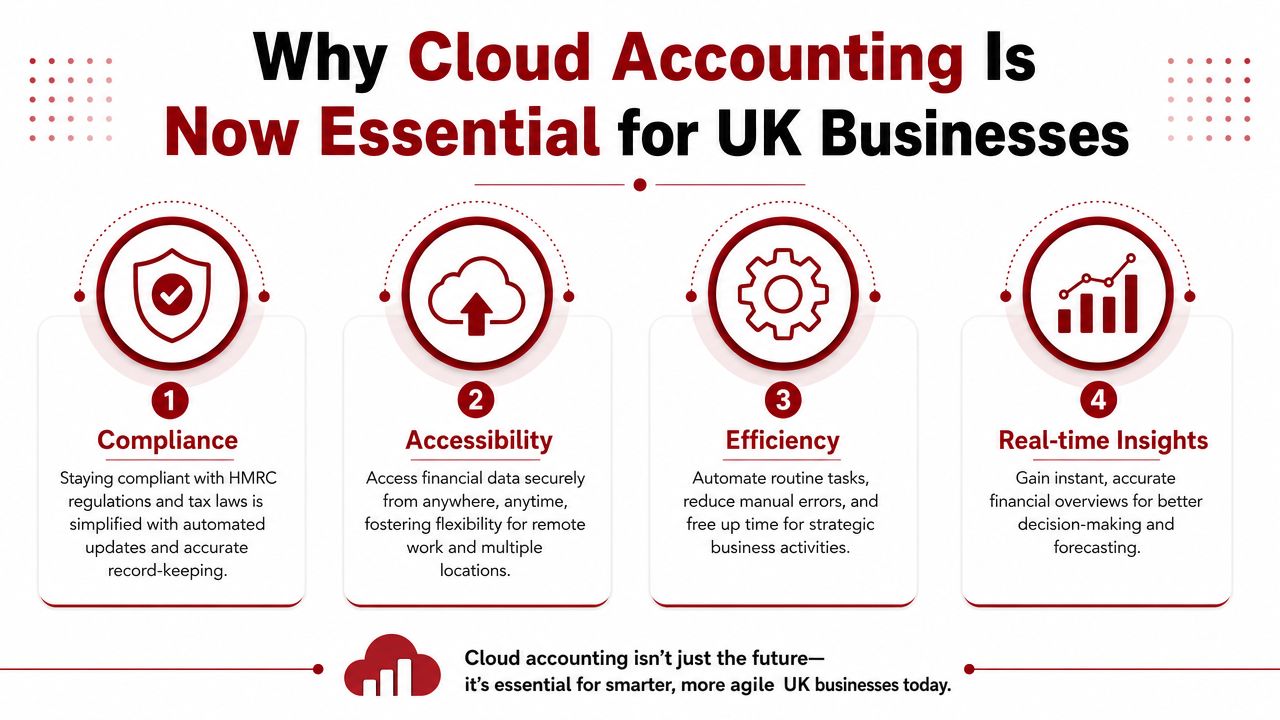
This has moved beyond convenience. In the UK, cloud accounting is becoming a compliance issue.
According to this overview of cloud accounting software and MTD requirements, by April 2026, businesses earning over £50,000 annually must use MTD-compatible software, and that threshold drops to £30,000 by April 2027. The same source states that paper records and spreadsheets alone do not meet legal requirements.
That's the point many businesses are missing. If you're still relying on spreadsheets as the main system, you're not preparing for where compliance is heading. You're postponing the inevitable.
Compliance is the starting point, not the finish line
Making Tax Digital matters because it forces better record-keeping habits. Once your bookkeeping is digital and structured properly, other benefits show up quickly.
You stop scrambling around quarter end. Your VAT position is easier to track. Your accountant isn't rebuilding messy records after the fact. Instead, they can spend more time helping you understand the numbers.
For many owners, that's the first time accounts become useful during the year rather than just necessary after it.
Why this matters day to day
Cloud accounting services help businesses do four things better:
- Stay compliant with digital record-keeping and submissions
- Work from anywhere whether you're on site, at home, or between meetings
- Reduce admin by automating routine data entry
- Use live figures for cash flow and planning decisions
Good cloud software doesn't just file tax. It shows you where the business stands before tax becomes a problem.
That matters even more in industries with tight margins. In construction, one delayed payment can affect wages, suppliers, and VAT at the same time. In property, unclear records across multiple units quickly turn into confusion over repair costs, rental income, and loan-related paperwork.
If you need a practical view of the compliance side, this Making Tax Digital VAT 2026 compliance guide sets out what to prepare for.
My advice
Don't wait until HMRC deadlines force a rushed move. Rushed migrations are where errors creep in. Pick the software early, clean up the bookkeeping process, and get used to working from live data now.
That gives you a smoother transition and a better-run business at the same time.
Key Features to Look for in Cloud Accounting Software
Don't choose software because the brand is familiar. Choose it because it solves the annoying parts of your week.
The UK accounting services market was valued at USD 10.34 billion in 2023 and is projected to grow at a 5.58% CAGR from 2023 to 2033, according to Spherical Insights' UK accounting services market report. That tells you the market is active, crowded, and full of options. It also means you need a shortlist based on function, not marketing.
The features that actually matter
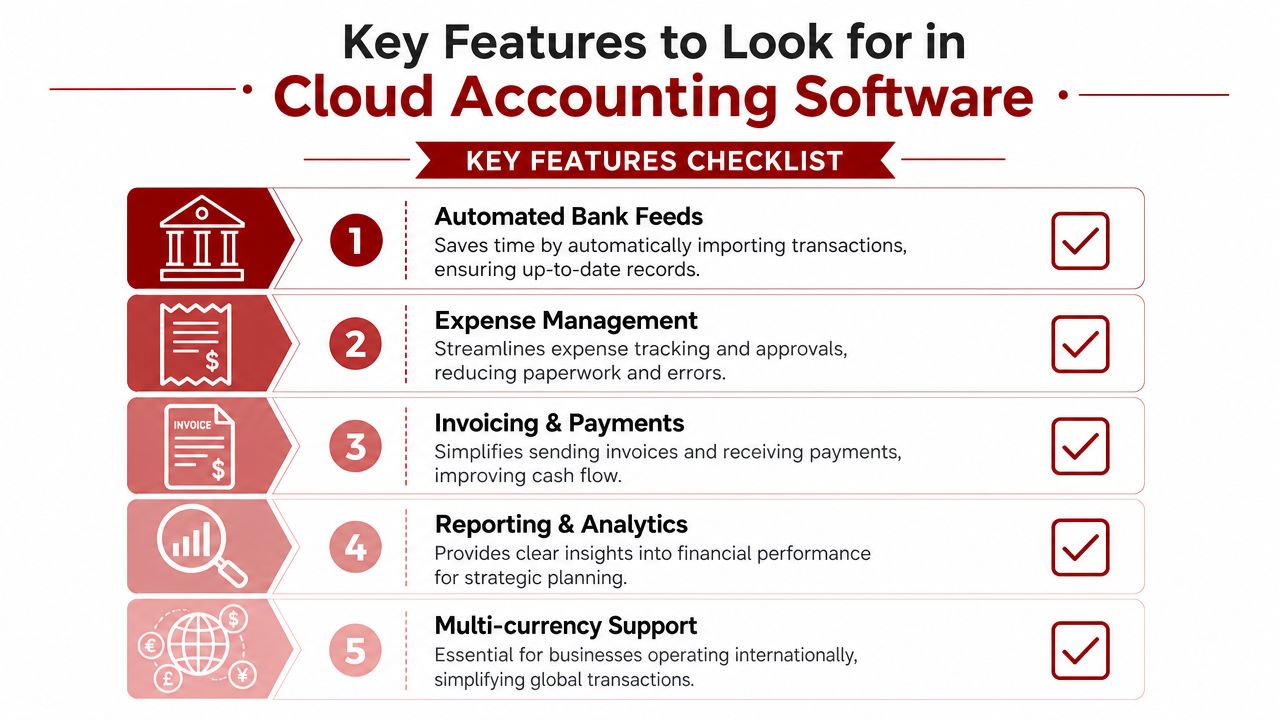
Here's what I tell clients to focus on.
-
Live bank feeds
This is one of the biggest time-savers. Transactions flow into the software automatically, which cuts down manual entry and helps you see your actual cash position faster. -
Receipt capture on mobile
If you buy tools, fuel, materials, or travel regularly, mobile expense capture stops paper from piling up. Take the photo there and then. Don't leave it for Friday evening. -
Invoicing and payment tracking
The right setup lets you issue invoices quickly, see what's overdue, and follow up consistently. That's practical cash flow control, not bookkeeping theory. -
Clear reporting
You need reports that a business owner can read without an accounting degree. Profit and loss, aged debtors, VAT summaries, and job or property level reporting are the basics. -
MTD-compatible VAT handling
The software should support compliant VAT records and submissions without awkward workarounds.
Features worth checking if your business is more complex
Some firms need more than the basics.
| Need | Why it matters |
|---|---|
| Payroll integration | Keeps wages, PAYE, and accounts aligned |
| Project or job tracking | Useful for contractors who need to monitor costs by site |
| Multi-user permissions | Lets staff, bookkeepers, and accountants access the right areas only |
| App integrations | Connects quoting, payments, stock, or document tools |
| Multi-currency support | Important if you bill or buy across borders |
If your software handles VAT checks across cross-border workflows or platform integrations, TaxID's accounting software use case gives a useful example of how validation can fit into a broader finance system.
Buyer's shortcut: If a feature doesn't save time, improve accuracy, or make compliance easier, it's not a priority.
The best cloud accounting services don't overload you with menus. They make routine work quicker and financial decisions simpler. That's the benchmark.
Cloud Accounting for Construction and Property Businesses
Generic accounting advice is no use when you're dealing with subcontractor deductions, retentions, project costs, or a portfolio of rental properties. Construction and property businesses need accounting systems built around how money moves in those sectors.
Construction firms need job-level visibility
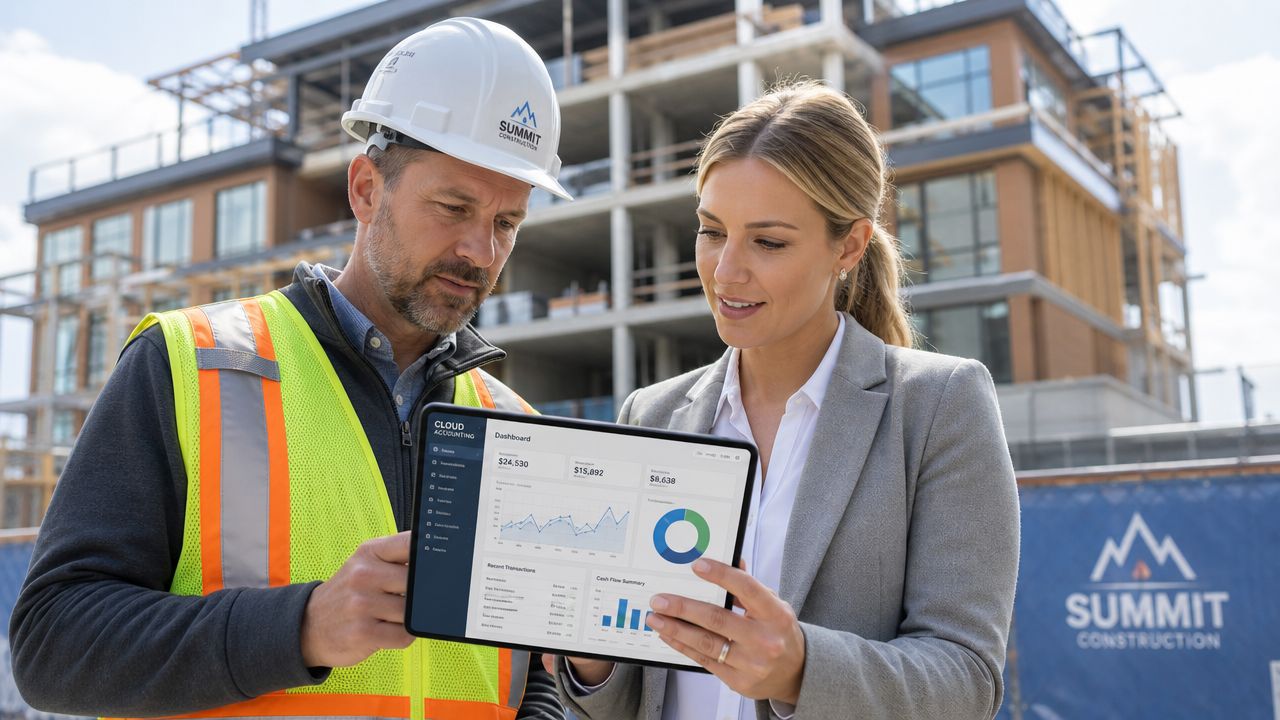
Take a small contractor managing several jobs across North West London. Money goes out constantly. Labour, materials, plant hire, fuel, insurance, and subcontractor payments all hit at different times. If those costs aren't tracked properly against the right job, profit slips away.
Cloud accounting fixes that by making the records timelier and easier to organise. The right setup can help you track income and costs per project, keep purchase invoices in one place, and monitor what's been billed and what's still outstanding.
For CIS work, that matters even more. Contractors need clean records of subcontractor payments and deductions. Subcontractors need a proper record of what's been withheld. A cloud system doesn't remove the obligation, but it makes the process far less chaotic.
If you need specialist support in this area, this guide on accounting for contractors and construction is a useful starting point.
A practical example. A builder finishes the month with decent sales on paper, but cash feels tight. In a weak system, the reason is hard to spot. In a cloud system with project tracking, you can often see the issue straight away. One site has gone over materials budget. Another invoice hasn't been paid. A subcontractor payment was posted late. Those details matter.
Landlords need clean records by property
Property businesses have different pain points. The issue usually isn't volume of transactions. It's separation and clarity.
A landlord with several properties needs to know which rent belongs to which property, which repair cost relates to which address, and whether the portfolio is generating healthy income after real expenses. When records are lumped together, tax prep gets messy and decision-making gets worse.
Cloud accounting services work well here because they let you set up a cleaner structure. Income can be coded consistently. Expenses can be assigned properly. Supporting documents stay attached to transactions, so you're not hunting for proof months later.
If you're comparing tools aimed at rental businesses, this overview of the best accounting software for landlords is a useful reference point.
A landlord doesn't need more spreadsheets. They need one reliable view of each property's income, costs, and paperwork.
For both sectors, the principle is the same. The software has to reflect how the business operates. If it can't track projects, deductions, properties, or recurring cost patterns properly, it's the wrong fit.
How to Choose the Right Cloud Solution and Advisor
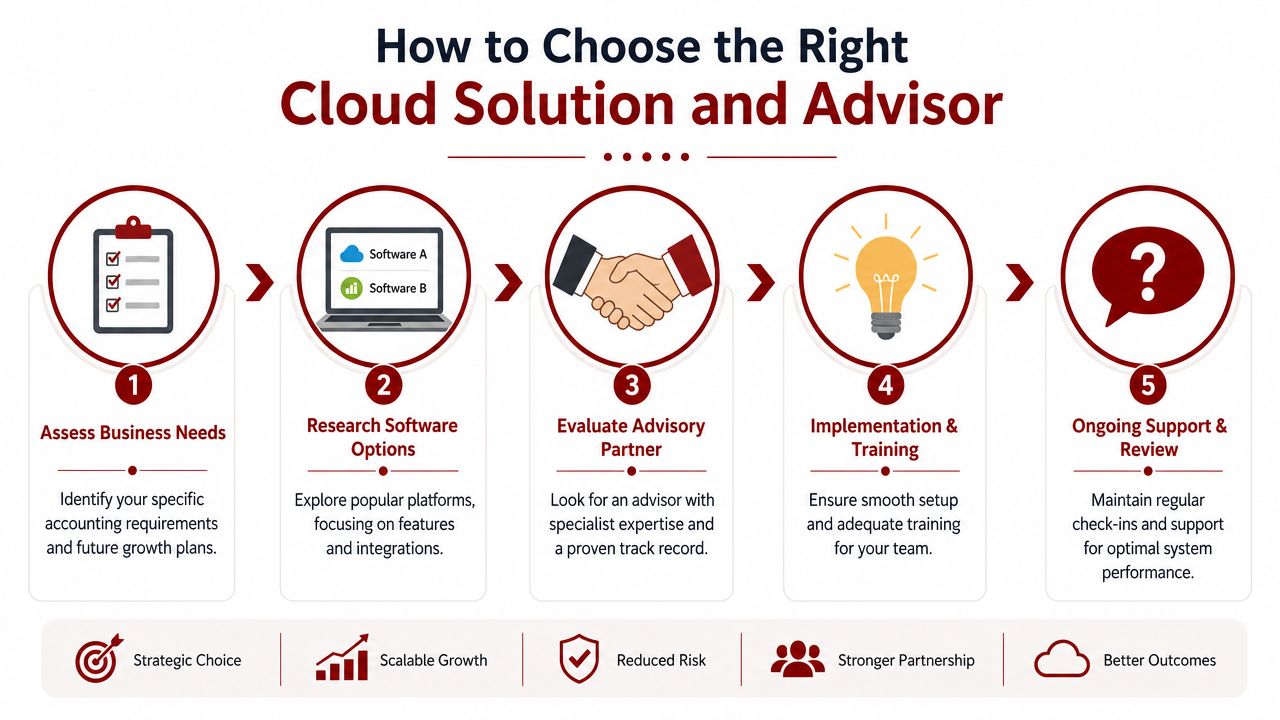
Most businesses ask the wrong first question. They ask, “Should I use Xero or QuickBooks?” That matters, but it isn't the whole decision.
The bigger issue is this. Who's going to set it up properly, train you, and make sure the reports mean something once the software is live?
According to Wolters Kluwer's UK cloud accounting trends overview, nearly 81% of UK accounting professionals have integrated cloud technology into their workflows, with 47% using exclusively cloud-based software and 34% using a hybrid approach. That means most accountants are already working this way. You should expect practical support, not blank looks.
Pick software around your workflow
Start with how your business operates.
- If you invoice regularly and need simple bookkeeping, focus on ease of use, bank feeds, and debtor tracking.
- If you run projects or multiple properties, prioritise tracking by job, site, or address.
- If payroll and VAT are regular pressure points, make sure those functions are smooth and well integrated.
- If several people touch the finance process, user permissions and approval flows matter.
If you're comparing platforms directly, Resolut's accounting software guide gives a sensible side-by-side look at two common options.
Choose an advisor who can implement it properly
Software on its own won't clean up bad habits. Someone has to map the chart of accounts properly, connect bank feeds, set VAT correctly, build useful reports, and decide who does what each month.
The advisor matters. They should be able to answer practical questions, not just tax questions.
Ask them things like:
- How will the migration be handled
- Who sets up the opening balances
- How will receipts be captured
- What reports will I review monthly
- How will VAT and payroll fit into the workflow
- What training will my team get
One practical option in North West London is Action Accountants Limited, which provides cloud-based monthly accounting support alongside bookkeeping, payroll, VAT, and advisory services for growing businesses.
A short explainer can help if you want to see the move in context before deciding:
A practical onboarding checklist
A smooth move usually follows this order:
-
Review what you've got now
Gather spreadsheets, prior accounts, VAT records, payroll data, and bank access. -
Choose the software based on actual needs
Don't buy features you won't use. Don't ignore functions you clearly need. -
Migrate data carefully
Opening balances, customer lists, supplier details, and VAT settings must be right. -
Connect the core systems
Bank feeds, invoice templates, expense capture apps, payroll, and user access. -
Train the people using it
Even good software fails if no one knows the monthly routine.
The switch works when the system matches the business and the people using it know exactly what to do next.
Understanding the Costs and Real Return on Investment
Most cloud accounting tools are sold on a monthly subscription basis. That's normal. You pay for the software, and sometimes separately for bookkeeping, payroll, VAT, reporting, or advisory support depending on how much help you need.
Don't obsess over the subscription alone. That's the wrong number to fixate on.
The question is whether the system saves more time and money than it costs. In most well-run setups, it does, because the waste in old-fashioned bookkeeping is larger than owners realise.
Where the return usually shows up
A decent cloud setup can create value in ways that are easy to miss at first:
- Less admin time because bank entries, receipt collection, and invoice tracking are smoother
- Fewer mistakes because there's less manual rekeying
- Quicker visibility when cash is getting tight
- Better credit control because overdue invoices are easier to monitor
- Cleaner compliance because records are more organised year-round
That last point matters. Fixing bad records in a panic is expensive, whether you pay in fees, stress, or wasted management time.
How I'd assess the investment
Ask yourself three blunt questions.
| Question | Why it matters |
|---|---|
| How many hours do we lose each month on finance admin? | Time has a cost, even if you don't put it on an invoice |
| How often are decisions made without up-to-date figures? | Poor visibility leads to poor timing |
| What does disorganisation cost us in follow-up work? | Chasing receipts and correcting mistakes drains profit |
If cash flow is the main concern, this guide on how to improve cash flow will help you think beyond bookkeeping and into working capital discipline.
For businesses in North West London, especially those with mobile teams, multiple suppliers, or uneven payment cycles, cloud accounting is usually better viewed as an operating tool rather than an overhead. It helps you run tighter, react faster, and spend less time untangling basic finance admin.
Your Cloud Accounting Questions Answered
Is my financial data really secure in the cloud
For most small businesses, the bigger day-to-day risk isn't the cloud. It's poor internal processes. Lost paperwork, emailed spreadsheets, shared logins, and no proper backup are common problems.
A well-run cloud setup usually gives you more control, not less. Access can be limited by user. Documents are stored centrally. Your accountant and team work from the same records instead of passing files around.
Can't I just do it myself without an accountant
You can do some of it yourself. Many owners should. Raising invoices, capturing receipts, and keeping records current are all perfectly manageable with the right setup.
But software doesn't replace judgement. It won't tell you whether margins are slipping for a specific reason, whether your cash flow pattern is becoming risky, or whether the figures suggest a different pricing or spending decision. That's where advice still matters.
What skill do I actually need to develop
This is the big shift. Cloud tools reduce data entry, but they increase the importance of interpretation.
As GoCardless explains in its discussion of changing skillsets in cloud accounting, cloud-enabled UK firms have seen a 74% profit-growth advantage, but owners still need help turning real-time figures into cash flow forecasting and strategy. I agree with that. The software handles mechanics. You still need someone to help read the story in the numbers.
Will this help if I'm always on the move
Yes, if the setup is built for that reality. Builders on site, landlords between properties, and founders bouncing between clients all benefit from being able to approve expenses, view reports, and send invoices without going back to the office first.
What should I do next
Don't overcomplicate it. Start with your current pain points. Late records. Weak cash visibility. VAT stress. Too much paper. Poor project tracking. Then pick a system and advisor around those issues, not around whatever software name you've heard most often.
If you're based in Colindale, Kingsbury, Queensbury, Edgware, Finchley, or elsewhere in North West London and want a clearer, more practical finance setup, speak to Action Accountants Limited. They can help you move from spreadsheets and scattered records to a cloud accounting process that fits how your business works, especially if you operate in construction, property, or another fast-moving small business sector.